
Feature overview
Keep the road and cabin together in one recording
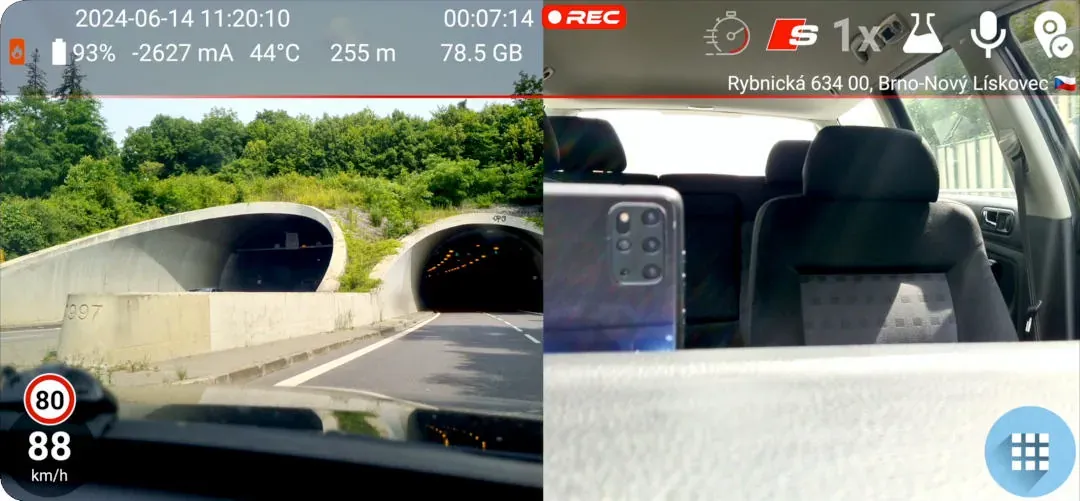
Dual camera recording places the road view and cabin view in one saved video. In landscape the views appear side by side; in portrait they are stacked. This gives taxi, rideshare and professional drivers visual context from both sides of a journey while DashCam Travel continues to show the recording information that matters.
Quick setup
Check your phone and start recording
- Open Settings → Camera and disable Camera Stable.
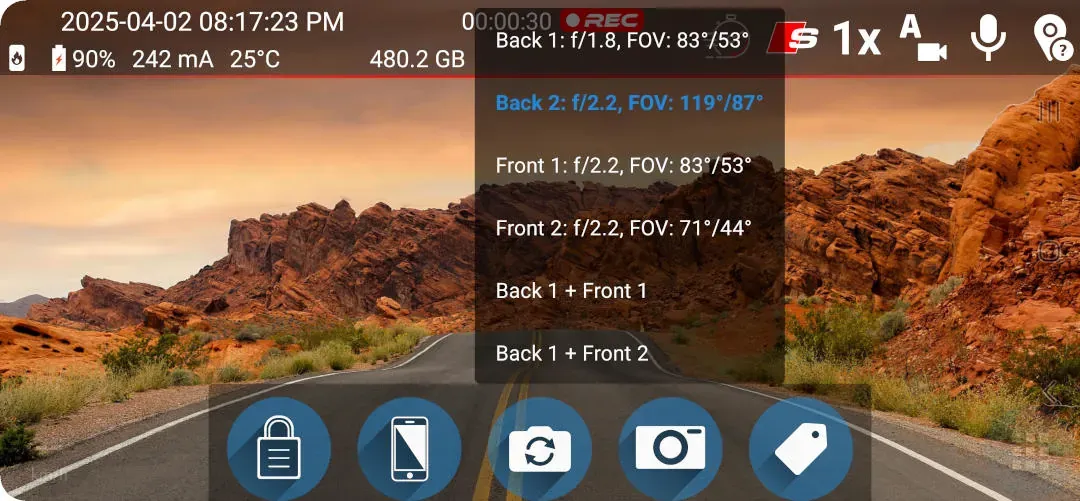
- Open camera selection and look for a combination such as Back 1 + Front 1.
- Select the combination and start dual camera recording.
Good to know
Check compatibility before you buy
- Dual camera recording requires Android 11 or later.
- Your phone must support simultaneous capture and its manufacturer must allow third-party apps to access both cameras together.
- Checking compatibility is free. If no front/back combination appears after Camera Stable is disabled, DashCam Travel cannot use dual camera recording on that device.
- Dual camera recording currently works only in the foreground and cannot be combined with background recording.
Answers at a glance
Common questions
Will dual camera recording work on every Android phone?
No. Dual camera recording requires Android 11 or later. The phone must also support simultaneous camera capture and its manufacturer must expose that capability to third-party apps. Disable Camera Stable and check camera selection for a combination such as Back 1 + Front 1.
Are both cameras saved in one video?
Yes. DashCam Travel combines the road-facing and front-facing camera views into one saved video.
Can I try dual camera recording before buying GRAPHICS OVERLAY?
Yes. You can record with both cameras for one minute before deciding whether to buy GRAPHICS OVERLAY. Checking whether your phone offers a compatible camera combination is also free.
Can dual camera recording run in the background?
No. Dual camera recording is not currently compatible with background recording and must remain in the foreground.