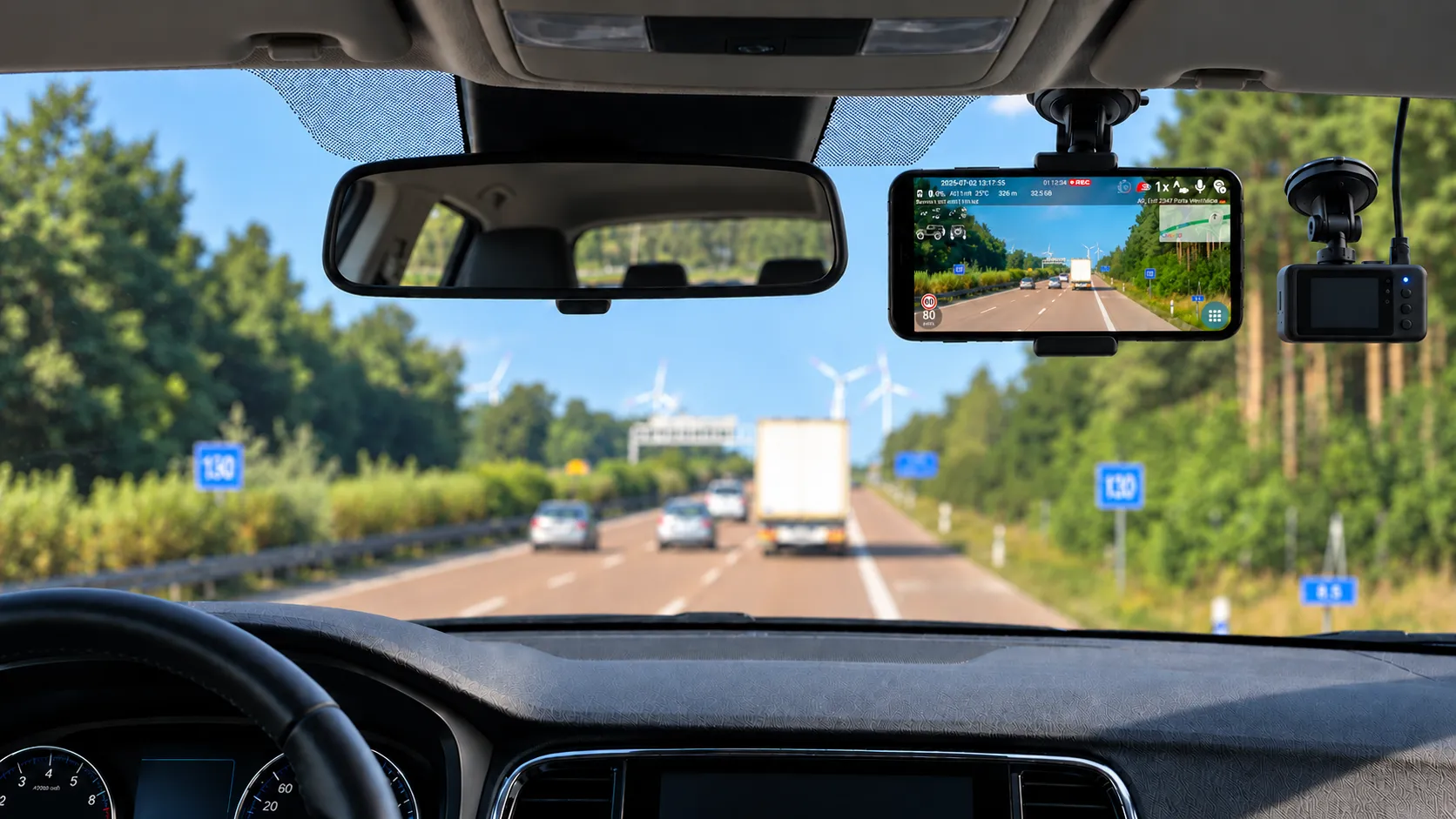
Dedicated dashcam or DashCam Travel on your phone?
A dedicated dashcam and a phone running DashCam Travel can both record without daily setup. So what determines whether you buy a dashcam or use a phone you already own, perhaps an older model sitting in a drawer?
App author
5 min read
Comparison at a glance
Comparison of DashCam Travel and a dedicated dashcam
Criterion
DashCam Travel
Dedicated dashcam
Parking mode
Not supported yet. However, the phone can record overnight if it has enough storage.
Only some models offer it. Parking mode usually requires a permanent power supply.
Image quality
Mainstream phones often use newer sensors and more advanced image processing.
Quality depends on the sensor, optics, image processing and price of the specific model.
Automatic recording
Auto-Start and Auto-Stop can control recording automatically using different conditions, such as power, speed, Bluetooth, etc.
Once connected, it usually starts and stops with the vehicle. Available options depend on the model and installation.
Driving data
Optional speed, position, map, street name, inclinometer, Sport mode and other data directly in the video.
GPS and the range of displayed driving data depend on the model.
Size and placement
A phone is usually larger and heavier and needs a firm mount that does not obstruct the driver's view.
It is usually smaller, lighter and easier to place behind the rear-view mirror.
Heat resistance
It depends on the specific phone. Recording while charging raises its temperature, and the phone may limit or stop recording if it overheats.
Dashcams with a supercapacitor tend to tolerate high in-car temperatures better. Actual resistance depends on the construction of the specific model.
Power interruption
A phone generally has a substantially larger battery than a dashcam and can continue recording much longer after external power stops.
A small battery or supercapacitor usually serves mainly to close the file safely. Longer operation or parking mode draws from the car battery and should include protection against discharging it.
Recording storage and backup
It uses phone storage, loop recording and automatic deletion. YouTube Auto-Upload can automatically back up completed videos to YouTube and optionally free phone storage after a successful upload.
It stores recordings mainly on its own memory card. Further backup options depend on the specific model.
Up-front cost
You can use a phone you already own, including an older model. You need a firm mount and USB power.
You need another device and a memory card. Parking mode or permanent power may also require a hardwire kit that connects the dashcam to the fuse box and protects the car battery from discharge.
Driving data and automatic recording
DashCam Travel uses the phone’s GPS and sensors. You can add speed, date and time, altitude, street name, map position, battery status or device temperature to the video and choose which items appear. The app also saves a route when valid location data is available.
GPS, speed display and rear-camera support are available on many dedicated dashcams, although the exact features vary by model. DashCam Travel uses a phone you already own, so you do not need to buy another specialist device.
Recording can continue in the background while navigation stays on screen. Loop recording limits the number and length of temporary files, reducing manual storage cleanup.
You can leave a suitable older phone installed in the car. Auto-Start and Auto-Stop can respond to power, speed, Bluetooth or other supported conditions. You can also remove the phone from a magnetic mount when the drive ends.
Size, mount and placement
A phone is usually larger and heavier than a dashcam. It needs a firm mount and a position that does not restrict the driver’s view.
Direct sunlight raises the risk of overheating. A position high beside the rear-view mirror may protect the phone better than the middle of a hot windscreen. Phone model, screen brightness, charging and recording settings also affect temperature.The FAQ explains more ways to reduce phone overheating.
A dedicated dashcam is smaller and easier to hide behind the mirror. Once installed, it can remain ready for recording. Concealed cabling or parking-mode power may require extra accessories and installation work.
Removing the phone leaves less visible electronics in the car. You can leave an older dedicated phone in its mount. Parking location and your preference for carrying the device should guide the choice.
Power, battery and cost
After car power stops, a phone can use its built-in battery to continue recording substantially longer than a dedicated dashcam. A dashcam’s small battery or supercapacitor usually serves mainly to close the current file safely.
Recording while charging creates heat and battery wear. Loop recording continuously frees space for new recordings. YouTube Auto-Upload can automatically send completed videos to your YouTube account, keeping a copy outside the vehicle if the phone is lost or damaged. After a successful upload, the app can automatically delete the file and free storage.
Longer operation or parking mode for a dedicated dashcam usually requires continuous power from the car battery with protection against discharging it.
An older phone can lower the initial cost because the main additions are a mount and power. In-app purchases in DashCam Travel cost substantially less than buying a dedicated dashcam. A dedicated dashcam requires another device and a memory card. Permanent power or parking mode may also require a hardwire kit. The kit connects the dashcam to the vehicle’s fuse box, converts the voltage and protects the car battery from discharge.
Add driving data to your video
Record speed, position, map, inclinometer, Sport mode and other data directly in the video.
Leave the phone or take it with you
A permanent setup simplifies departure, while taking the phone with you after the drive reduces the risk of theft.
Try everything for free
You can try every feature for free before making a purchase.
Try DashCam Travel for free first
If you have a suitable Android phone, start with DashCam Travel and try recording with driving data shown directly in the video, automatic recording start and stop, and YouTube video backup for free. A dedicated dashcam is worth buying only if you find that you need parking mode or a smaller single-purpose device.
Your road. Your record.
Try DashCam Travel for free today
Turn your Android phone into a dashcam, add driving data directly to the video and try automatic recording without buying another device.